Pick your poison
Round up the apps and categories that quietly eat your day alive, then put each one on a daily time budget. Rein in as many as you like - all free.
★ For card-carrying "just five more minutes" people
Win your evenings back from the algorithm. Grounded pulls the plug on your time-sink apps the second your daily budget runs dry - no "ignore for today," no sneaking edits past the goalie, no wriggling off the hook. Free flying solo, forever. Want limits you genuinely can't sweet-talk your way out of? Tag in a Guardian you trust - every extra minute and every limit change has to get past them first.
Free to start · Lone wolves welcome · Private by design
The gist
Round up the apps and categories that quietly eat your day alive, then put each one on a daily time budget. Rein in as many as you like - all free.
Burn through the budget and Grounded slams the door. Hunt all you want - there's no "ignore for today" button hiding anywhere. Zero wiggle room, and we left it out on purpose. (Don't worry - you get a friendly "last call" heads-up before the door shuts.)
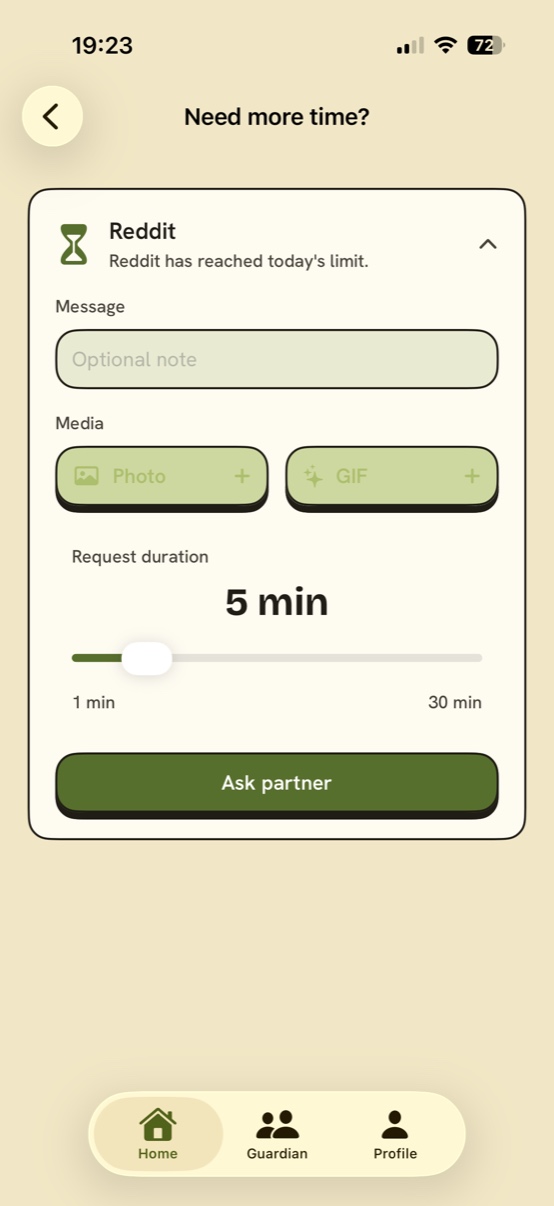
Want more time? With Premium, plead your case to your Guardian - attach a note, a photo, even a GIF if you think it'll help. Thumbs up or thumbs down, straight from their phone. And no, you can't rubber-stamp your own - we triple-checked.
Solo mode - free
No partner, no paywall, no "your first three limits are on the house" nonsense. Solo Grounded brings the full bite.
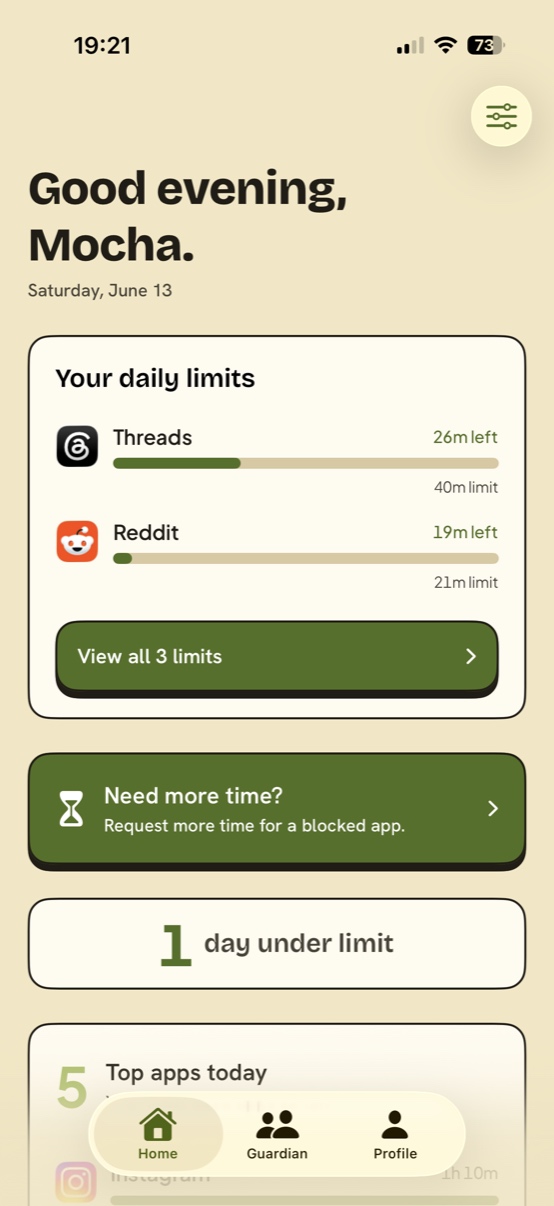
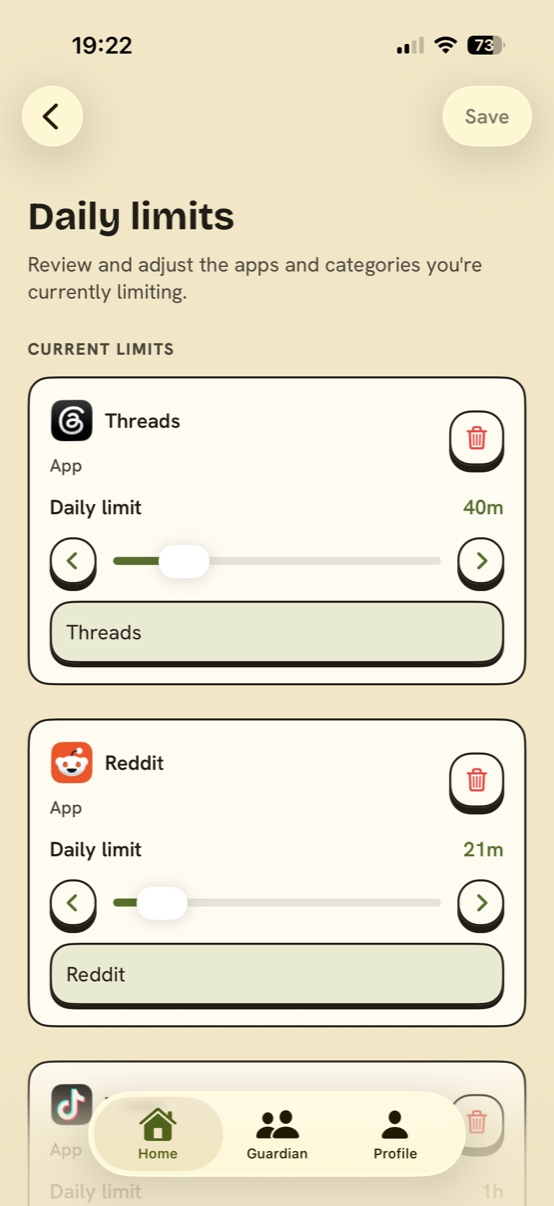
Rein in single apps or whole categories, each on its own daily budget. Make one for every app your willpower keeps losing to.
Once the budget's spent, that app is shut tight - built on Apple's own Screen Time framework, not a pinky promise.
A heads-up lands before the block does - "15 minutes of Instagram left today. Make 'em count." Wrap it up with dignity instead of mid-doomscroll.
Stay under your limits, keep the streak alive. Cheap dopamine, finally working the day shift instead of the doomscroll.
Know thy enemy
Grounded holds up a mirror every day - kind, but not flattering. The daily read is free for everyone; Premium hands you the magnifying glass.
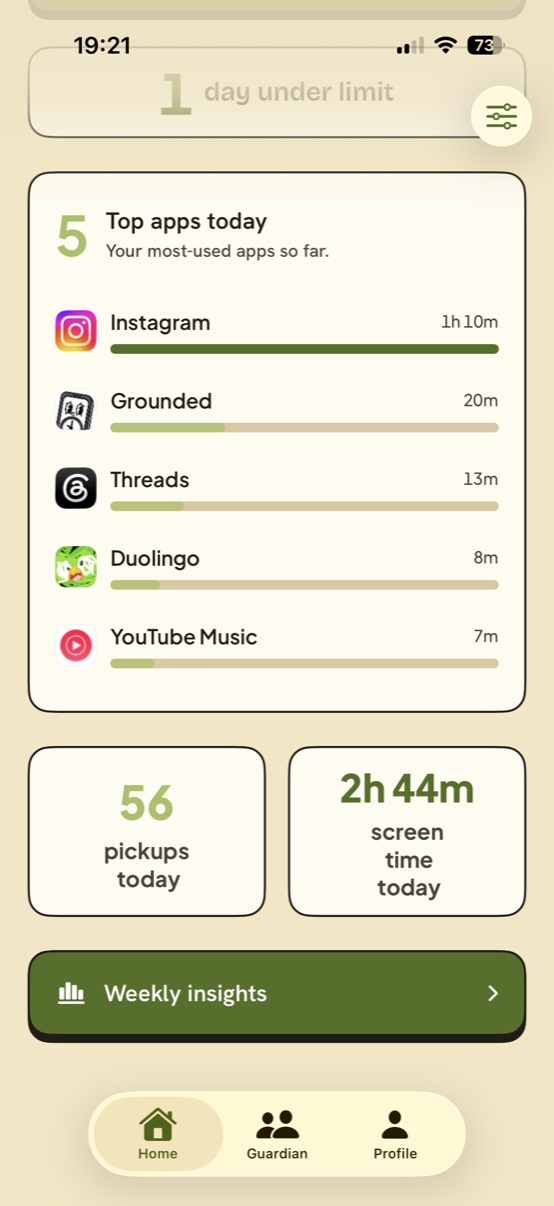
Screen time, pickups, and notifications - each scored against yesterday. Green when you're winning, amber when the feed is.
One line, no mercy: "Instagram up 40m vs yesterday." When an app quietly balloons, Grounded says the quiet part out loud.
Your last seven days totalled up, plus a ranking of your most-used apps and categories. Watch the bars shrink week by week - that's the whole idea.
Premium opens the deep end: your top app changes day to day, a four-week trend line to prove it's working, and week-by-week breakdowns you can drill into app by app. Same mirror, higher resolution.
Guardian mode - premium
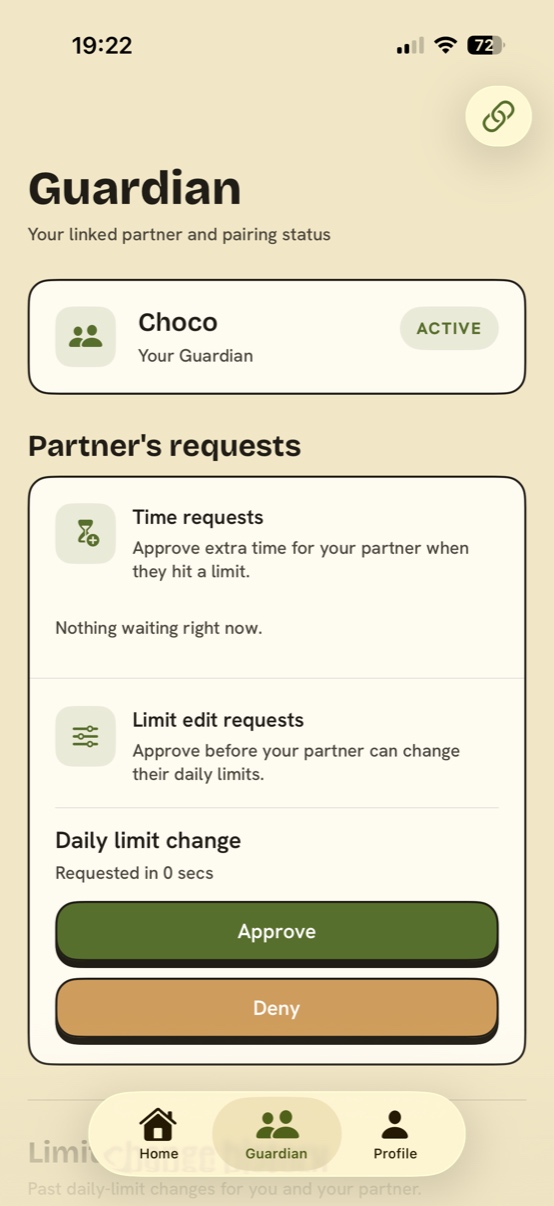
Link one person you trust - partner, friend, sibling, roommate - with a share code. You both opt in and hash out the rules together: it's a pact between equals, not a babysitter on the payroll. From then on, your willpower has a witness.
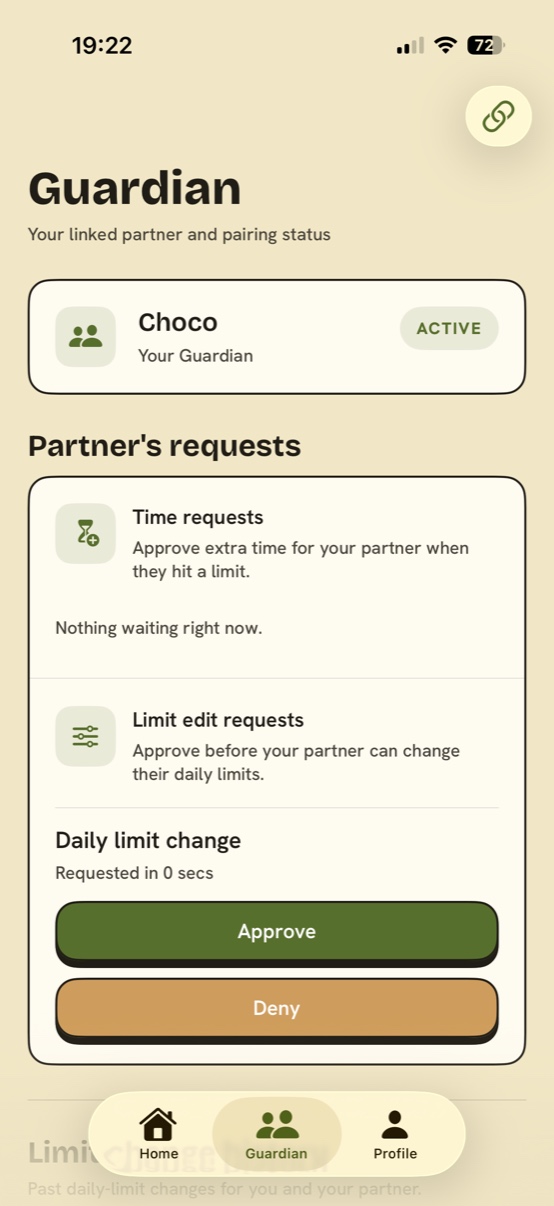
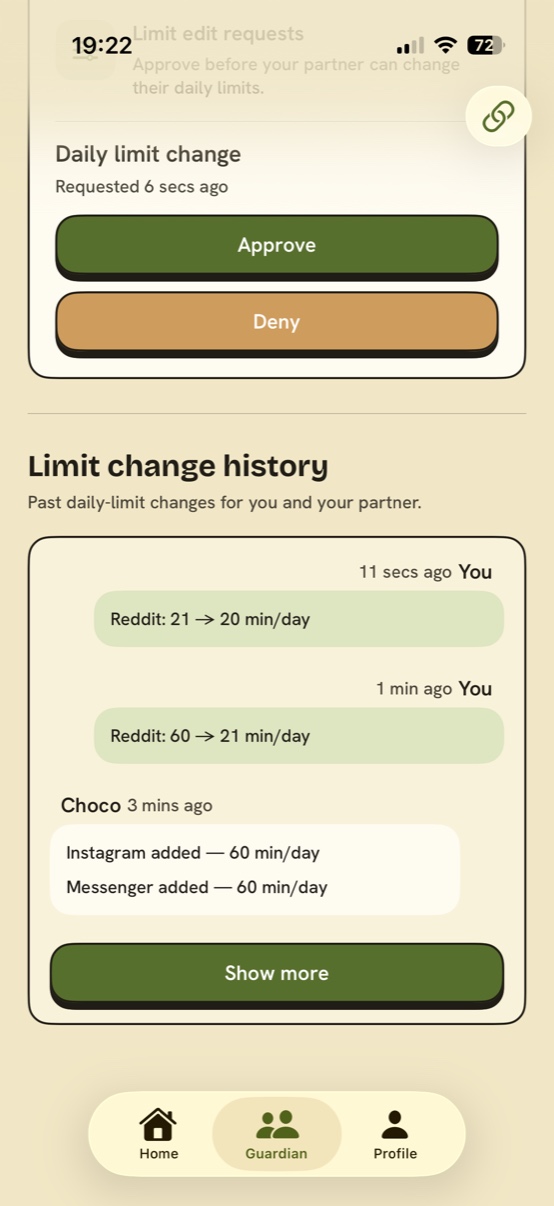
Want to loosen your daily limit? That edit lands on your Guardian's desk for a sign-off first. The 1 a.m. "just this once" limit bump has gone the way of the dodo.
Hit the wall mid-scroll? Send up a flare. Your Guardian gives the nod or the cold shoulder from their phone - and you start the granted minutes whenever you're good and ready.
Your Guardian sees a running tab of every limit change. An open book by default - only an awkward one if you've got something up your sleeve.
Being the responsible one comes with its own tab: your partner's limits at a glance, requests waiting on your verdict, and the full change log. Power, neatly organised.
★ Try it - be the Guardian for a second ★
Sam hit their limit
wants 15 more minutes of TikTok
A request just came in…
(This is exactly how it feels. Powerful, right?)
See it in action
A warm, calm interface with a full dark mode. Hover any screen to stop it in its tracks and take a closer look.
vs. Apple Screen Time
Apple's Screen Time is great - right up until 11 p.m., when you let yourself off with a warning. Grounded exists because, let's be honest, you've met you.
Built on Apple's Family Controls & Screen Time APIs. Your app usage is processed on your phone.
Grounded never sees what's inside your apps - not your messages, feeds, or anything else. Apple's framework keeps it that way.
No ads, no data brokers. The subscription pays the bills, plain and simple - a breath of fresh air, we know.
Pricing
Linked pair? Only one of you needs to subscribe. One Premium subscription unlocks the full Guardian experience for both phones.
$0forever
The full solo experience. No strings, no catch.
Everything in Free, plus the Guardian layer and the deep-end stats:
Prices in USD. Cancel anytime - final pricing is confirmed in the App Store.
FAQ
Yes. Solo Grounded - unlimited limits, real blocking, "last call" warnings, daily insights with vs-yesterday scores, the weekly recap, and streaks - is free, with no cap and no trial countdown. Premium only exists for the Guardian accountability layer and the deeper analytics.
Nope. Grounded holds its own flying solo. Pairing is strictly optional - it's there for the day you decide your limits could use a witness. Link up with a unique invite code whenever the moment strikes.
One person you trust - a partner, friend, sibling, roommate. They give the green light (or the red one) on your extra-time requests and limit changes, and they can see your limit-edit history. They don't see your screen, your messages, or what you get up to in your apps. It's a spotter, not a spy.
Your limits, your limit-change history, and the requests you send them. That's the whole dossier. Your actual usage numbers are crunched on your phone by Apple's Screen Time framework and never leave it - so your Guardian can't peek at your screen time, let alone your screen. Accountability needs rules, not surveillance.
Honestly - yes. No app can physically stop you from deleting it, and Grounded isn't trying to be a prison you resent. The point is accountability you actually chose. What we do close are the quiet loopholes: loosening a daily limit needs your Guardian's approval first, and unlinking your Guardian notifies them. So you can't silently water things down at 1 a.m. - backing out is a deliberate, visible choice, not an autopilot tap. For most people, a partner they respect beats a lock they'll just route around.
Actually block. Grounded runs on Apple's Screen Time framework, so the shield holds at the system level - even with Grounded closed or right after a restart. It's not a reminder you can swipe away; the app stays shut until your limit resets or your Guardian grants more time.
Yes - limits tally your usage across every device signed into the same Apple ID, as long as Screen Time's "Share Across Devices" is on. No dodging a limit by switching to the iPad. Your charts show just this iPhone by default; flip on "Include all my devices" in Insights for the combined total.
Premium comes with a 7-day free trial. Try the full Guardian experience; if it's not for you, cancel before the trial ends and you won't be charged. You keep all the free features either way. And remember - for a linked pair, only one person needs to subscribe.
Grounded is built on Apple's Family Controls / Screen Time framework, which means your app-usage data is processed on your device. We never see the contents of your apps, and we don't sell data - the subscription is the whole business model. Details in our Privacy Policy.
English, Korean (한국어), Japanese (日本語), and Simplified Chinese (简体中文) - each one written by humans for that language, not run through a translation blender. Your Guardian's "no" lands with the same loving thud in all four.
Subscriptions are handled by the App Store: Settings → your name → Subscriptions → Grounded. Cancel anytime; Premium runs until the end of the billing period, and the free features are yours forever. No retention dark patterns, promise.